Get the Editor’s Edge Fresh news, smart tools, and easy tricks
Cue the confetti! As the ball drops and the page refreshes, let’s talk content. Ever open a blank webpage and think, “Okay… now what?” Been there. That’s exactly why we made The Content Compass.
Think of it like ringing in the new year with a clear plan. It keeps your content moving in the right direction, shares the latest web news, hands you practical tips you can use right away, and helps you dodge the usual roadblocks—like confusing language or that tired old “Click Here.”
New year. New pages. No confusion. Let’s make this your clearest, strongest content year yet.
To keep UTC’s web content usable for everyone, editor access will be tied directly to required accessibility training, ensuring that UTC is in compliance with the DOJ accessibility mandate. Content editors who have not completed the training by Feb. 6, 2026, will have access to their accounts paused until the requirement is met. This isn’t meant to be punitive. It’s a safeguard that ensures the people publishing content have the tools and awareness needed to do it responsibly.
Starting Apr. 24, 2026, we will take the next step toward compliance by identifying PDFs that are not accessible. These files create real barriers for people who rely on screen readers, keyboard navigation, or text alternatives. Any PDFs that do not meet accessibility standards—and are not actively maintained—will be archived. Archiving removes them from public access while still preserving records, allowing the university to meet federal accessibility expectations without erasing institutional history.
Together, these steps create a clear and fair system. Training ensures editors know how to create accessible content from the start. Archiving ensures outdated or inaccessible documents no longer block access for users. The goal is simple: fewer barriers, clearer expectations, and content that works for everyone. When accessibility is built into our process, compliance follows—and more importantly, so does inclusion.
Please reach out to us if you have questions, comments, or concerns.
A Note About Upcoming Silktide Assignments
Accessibility work can feel overwhelming because it often involves both content changes and technical fixes on the same page. Silktide surfaces all of this together, which can make issues look more complex than they actually are.
To make this manageable, we’re assigning only content-related Silktide tasks to content editors and notifying you when action is needed. (This is in addition to the weekly reports about your site you should be receiving.) These are things like headings, link text, and document usage—items editors are best positioned to fix. Technical issues will be handled by the Web Development Team, so you’re not expected to address those.
Please reach out to us if you have questions, comments, or concerns.
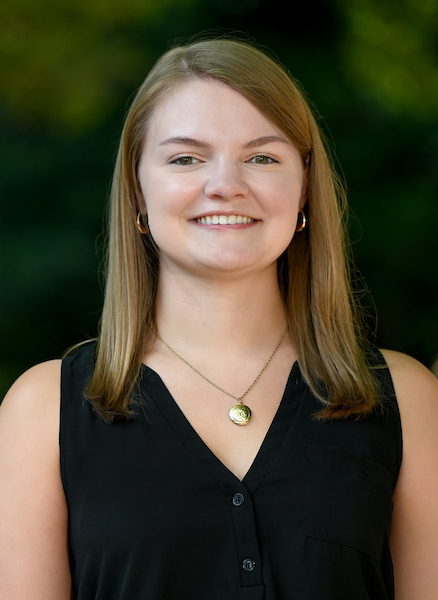
Leading the Way Forward: Introducing Lauren Surmann
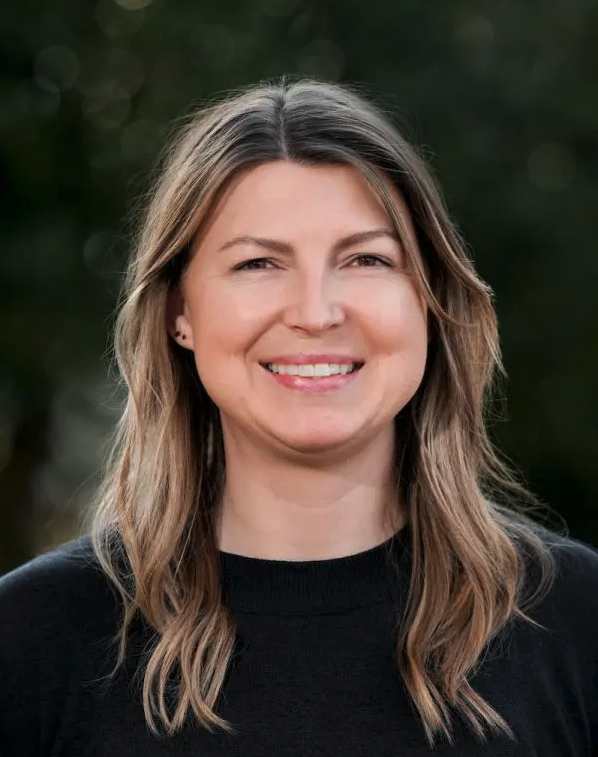
Lauren Surmann, UTC’s new Director of Creative Services, brings a powerful blend of strategic thinking, creative vision, and empathetic leadership to the Communications and Marketing team. With experience guiding brand evolution and solving complex design challenges, she specializes in elevating visual storytelling and creating meaningful, human-centered content.
A service‑oriented leader known for her strength, creativity, and collaborative approach, Lauren is passionate about design, branding, and building work that truly connects. She’s excited to help shape the next chapter of UTC’s creative direction and support teams across campus in bringing their best ideas to life.
Please join us in giving Lauren a warm welcome!
Lights! Action! Camera!
The best videos don’t just play on a screen—they invite you in.
But a video that can’t be understood by everyone is like a scene with the sound turned off and the lights dimmed—you miss what’s important. Captions let people who are deaf or hard of hearing follow every word. Audio descriptions help people who are blind or have low vision understand what’s happening on screen. Transcripts give the whole story in plain text. These aren’t extras. They’re how we make sure no one is left outside the theater. This is why federal guidance points to WCAG 2.1 Level AA—so everyone gets the same message at the same time.
Getting this right is a team effort. UTC’s Video Team can help with captions, formats, and setup so accessibility is built in from the very beginning, not patched on later. When videos are designed well and made accessible, they don’t just meet requirements—they respect the audience. And that’s how good stories are meant to be told.
Full-Court Press: Website Maintenance Tips Off Friday Night
Alright folks, it’s a Friday night matchup—Jan. 30, 2026—and www.utc.edu and blog.utc.edu are heading to the locker room for some scheduled maintenance. This is a clean-up-the-floor kind of timeout—updates, fixes, and smoother play when we come back out.
Now here’s the scouting report: anything added to the test site during maintenance gets benched. No replay. If you’ve been working up new pages, get them across half court early—save them on the live site or keep them safe the week before deployment. Smart basketball? Build unpublished pages on the live site, then push them live on the test site after maintenance wraps. That’s good ball movement.
Want to see the rest of the season schedule? Check out the 2026 IT maintenance lineup. All the dates, all the timeouts—same fundamentals, fewer sneakers squeaking, more servers humming. Play it clean, and we all leave with the W.
Gold in the Data: What AI Scraping Really Means
Tips to Tackle AI Scraper and Optimize GEO
You have probably heard of search engine optimization (SEO), but have you heard of its cousin, generative engine optimization (GEO)?
What is generative engine optimization anyway?
GEO is the practice of optimizing your content for AI-driven generative models to accurately distribute website messaging effectively. Unlike SEO, which relies on keyword relevance and backlinks to optimize a website for higher rankings on search engines like Google and Bing, GEO utilizes AI engines to read and analyze website content. This enables the AI engines to generate more relevant and accurate responses.
Since the increased popularity of AI tools like ChatGPT and Claude, people are using search engines AI features and AI platforms to search for daily information. Because of this, we need to ensure that AI scrapers aren’t pulling outdated or irrelevant information from your websites.
Tips to improve your GEO strategy:
Update your content as much as possible, so AI scrapers don’t generate outdated content.
The University of Tennessee System’s Digital Presence Policy (GE0006) took effect on January 5, 2026. It sets shared rules for how we present ourselves online so that every campus and unit—from Knoxville to Chattanooga to Martin—speaks with one unified voice. That matters because our digital presence is often the first place students, families, alumni, and the public see who we are and what we stand for.
Under this policy, everything that represents the university online must follow consistent standards. That includes:
Websites and intranets
Social media accounts
Email signatures
Digital ads, videos, and other online content These spaces must adhere to accessibility, branding, security, and privacy expectations, and each campus must issue procedures that guide how this work gets done.
A few key points:
Accessibility is required so all users—including those with disabilities—can use our content.
Every site and account needs a designated content manager or sponsor to keep information current and compliant.
Official social media creation and monitoring follows a clear process.
Email signatures must follow approved formats that show our brand consistently.
Websites must be hosted on secure, approved infrastructure, and all forms that collect data must use secure, privacy-respecting protocols (like HTTPS).
In short, this policy helps make sure that our digital presence is safe, accessible, consistent with brand standards, and legally compliant no matter which UT campus or unit it comes from.
Why PDFs Still Matter—and Why They’re a Problem if We Ignore Them
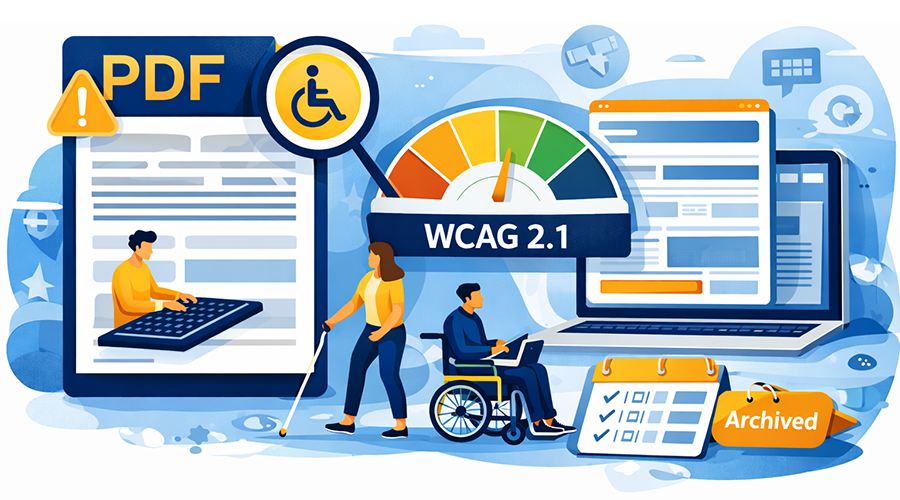
Accessibility doesn’t stop at web pages. Every public-facing PDF on UTC websites must meet WCAG 2.1 Level AA standards, just like HTML content. PDFs that aren’t accessible create real barriers for people who use screen readers, keyboard navigation, or text-to-speech tools. In simple terms: if a PDF can’t be read, navigated, or understood by everyone, it doesn’t meet our responsibility as a public university.
Over the years, thousands of PDFs have been uploaded across UTC sites, often as a quick way to share information. Many of these files are now outdated, duplicated, or inaccessible. That’s why a full PDF inventory is underway. Departments will be asked to help decide which PDFs can be removed or archived, which ones must be remediated, and—best of all—which can be converted into accessible web pages. Converting PDFs to web pages is strongly encouraged because web content is easier to maintain, easier to update, and far more accessible by default.
For PDFs that truly need to remain, accessibility work is required unless the file is archived. Archived PDFs do not need remediation, but they must clearly include an “Archived” label and an archive URL indicator so users understand the content is no longer current. This keeps historical records available without creating accessibility barriers.
To support this work, UTC has expanded training options. In addition to Silktide accessibility webinars, the university partnered with the Walker Center for Teaching and Learning to offer live PDF accessibility training, now available as a recorded Zoom webinar. These resources are meant to help content owners build accessibility in from the start—so PDFs stop being a recurring problem and start being an intentional choice.
We’ve been receiving a lot of questions about document storage as the UT System discusses retiring Google apps, including Google Drive. This has raised a common question: Where should departments store and share documents moving forward?
Why the main website isn’t the answer
While our main website does allow PDF uploads (up to 6MB), it is not designed to be a document storage solution.
It only supports PDF files
It does not support Word, Excel, PowerPoint, or other file types
It is not built for organizing, updating, or managing large sets of documents
As the Administrative Support Assistant for the College of Arts and Sciences Dean’s Office, Mckenzi Marlow is integral to the operations of her office. She plans and executes large-scale events that bolster college recruitment and retention, she oversees important processes like tenure and promotion, and she handles the creation and maintenance of content for the College of Arts and Sciences’ social media pages and website.
She is responsible, as well, for curating topics for and circulating the newly implemented CAS Events Newsletter which focuses on advertising CAS events across the college’s fourteen departments. Additionally, she assists with the operations of the College of Arts and Sciences Residential Learning Communities and supports UTC by serving on the Read to Achieve Committee, the Web Accessibility Task Force, and the Staff Senate Communication Committee.
What Mckenzi enjoys most about being a content editor is the opportunity to be creative. While part of the work requires nuts-and-bolts technical editing and frustrating image formatting parameters, the majority of it requires her to think outside the box. She describes her goal when editing as: how can I showcase the achievements and merits of a liberal arts education in a way that is engaging and memorable in this fast-paced society? She hopes the copy she has written and edited and the pictures she has chosen accurately represent the community she is so proud to be part of.
P.S. Mckenzi would like to thank everyone who has answered all her formatting questions for the past two-and-a-half years. She appreciates you and, if you have the time, she has just one more quick question…
Meet you on Teams, Mckenzi!
Whether you’re a seasoned editor or just getting started, The Content Compass is your trusted guide for making every webpage the best it can be.
Feel free to reach out to us if you have any feedback! We look forward to hearing from you. In the meantime, happy editing!